Adaptive Interfaces

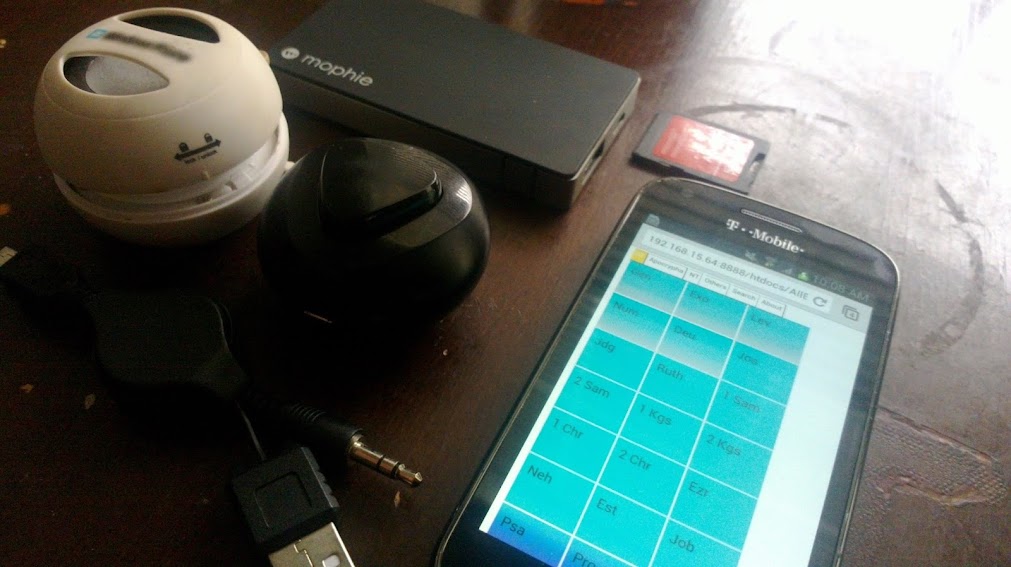
All Books on Nokia N8 screenshot

Many of the user interfaces that I come across on the various mobile devices that I interact with are not all that neat. Let me correct that. They were novel and neat when I first acquired the device or application. But, that quikcly got old and stale – especially in those applications that I interacted with the most. What would be neat in many of those cases is the interface adapting to my increased usage and then changing to either expose more of itself, or trimming to only exposing the features that I use the most.

I’ve taken to calling it adaptive intelligence or an adaptive interface. Basically that as I spend time in the application or program, that it adapts to my greater comfort with some features, and recommends or trims what I see based on what is learned about my usage. This was some of what when into my UI design for All Books – as you went into a book/chapter, the book name/chapter number would “age,” dimming itself compared to what you haven’t read as much. In time, you could see what areas of the Bible it was that you didn’t read much easier than you could get to the parts you did read more often.

I’m not the only one thinking along these lines, but I do think that its something that we can do a good bit more of in this space of faith-based content. It seems like a new UI idea, and even has been proposed as much in an article at FastCo Design:

…In 1975, the Hungarian psychology professor Mihaly Csikszentmihalyi outlined his theory of “flow” in his seminal work, Flow: The Psychology of Optimal Experience. He defined the concept as ‘‘the holistic experience that people feel when they act with total involvement.’’ When in the flow state, people become absorbed in their activity, narrowing their awareness to the activity itself, losing self-consciousness, and feeling in control of their environment. Flow is also proven to have a positive impact on learning. In skiing, novice practitioners are advised to spend the first few days at the green beginner slopes to get the best learning experience. On the other hand, experienced skiers will find themselves bored at the beginner slopes and must seek their optimal experience on the black expert slopes. This individual balance between skill and challenge is, according to Csikszentmihalyi, called the “flow zone” and staying in this flow zone is the best possible way to learn and make progress while still feeling constantly challenged and intrinsically motivated.

While flow has been extensively applied in studying a broad range of contexts, such as sports, shopping, rock climbing, dancing and others, I believe that, by drawing inspiration from video games, flow can be used to improve the user experience in interactive electronic consumer products…

It takes a lot of foresight to make an interface like this. Similar to the classic “choose your own adventure” books, the application author has to be content with designing many paths to a solution, and doing so in a way that doesn’t break up the story. What would a bible look like if it adapted to our reading tendencies? Or better, what about a Bible app that started off doing simple search and reading, then evolved to something like a full-blown study/sermon companion like Logos/Olive Tree’s products? Would be kind of neat IMO.

Mobile Ministry Trends for Pastors

using mobile phone and laptop
Over at Church Tech Today, we recently contributed an article looking at mobile computing trends for pastors. We took a look at it from a different perspective than what you might find on other sites which might talk about ministry and technology. Here’s a snippet:

…First off, a maturing of some of the best of the genre in terms of Bible applications. Logos 5 and Olive Tree were released in the 2nd half of last year and present themselves well able to take your studies and sermons into the most necessary topics of the new year. I’m also hearing a good bit of chatter about non-English content in these and other platforms for study, which is going to be key for many ministries who have made a goal of discipleship for this year.

Social networks are entrenched, and its a good idea to continue investments with Facebook, Google+, Twitter, and others. However, you might be surprised to see the direction these networks trend this year. Whereas pastors were looking to add to the signal and noise, I see 2013 as being the year where pastors will pull back from being present in so many networks and doing more towards being effective in conversation and communication. There’s going to still be some confusion amongst some pastors as to which networks work best, but I see 2013 and 2014 as being those years where these matters are figured out…

Read the rest of Mobile Ministry Trends for Pastors at Church Tech Today.

Do you have trends that you see coming? What about if these might feel a bit further along than where you might be thinking – are you prepared or are you stepping ahead?

Can Data Expose the Depths of Mobile/Digital Faith Efforts?

screenshot of email image from YouVersion showing Top 10 Bookmarked verses from their service

About a week ago, I received an email from YouVersion noting the top 10 bookmarked verses within their application. This is quite valuable information, especially if you are apt to advise people to use their digital tools in order to engage the Scriptures. Now, the fun comes in taking this kind of information and trying to make some sense of it. Upon receiving this, I tweeted an honest and business intelligence -like question:

Top 10 bookmarked verses in @youversion; the needs of digital believers can be summarized in these perhaps?

Why these verses? What about these verses speaks to the needs, or at the very least the attention spans mentally, spiritually, and socially to believers? Does this point to how mobile has fostered spiritual transformations (transformations)? Let’s see.

(1, 5, 6) Philippians 4:6-7, 13

Do not be anxious about anything. Instead, in every situation, through prayer and petition with thanksgiving, tell your requests to God. And the peace of God that surpasses all understanding will guard your hearts and minds in Christ Jesus… I am able to do all things through the one who strengthens me.

Anxiousness tempered with prayer and thanksgiving. Not exactly the instant nature of mobile. One could argue that this is intentional friction to life if considered on this frame.

(2, 7) Proverbs 3:5-6

Trust in the Lord with all your heart, and do not rely on your own understanding. Acknowledge him in all your ways, and he will make your paths straight.

Having moved to prepaid instead of post-paid, I am seeing my trust stretched (amazing what a buffer missing doesn’t do in terms of keeping you off track).

(3) Jeremiah 29:11

‘…For I know what I have planned for you.’ says the Lord. ‘I have plans to prosper you, not to harm you. I have plans to give you a future filled with hope.’

Do we know what Facebook, Amazon, Apple, etc. have planned for our uses of their devices and services? Probably not. But we do have a sense of God’s leaning towards us.

(4) Romans 12:2

Do not be confirmed to this present world, but be transformed by the renewing of your mind, so that you may test and approve what’s the will of God – what is good, and well-pleasing, and perfect.

Well, it might be a bit late for this. There are more people who use mobiles (+4 billion) than who are Christians (~2.5 billion). What isn’t too late to happen though is a pattern of behavior that is distinct in it’s goodness, appeal, and viscosity while mobile and connected. I would argue that this verse isn’t taught in this way (again, a mobile filter here). But, if it were, what would Christ-thru-mobile look like?

(8) Romans 8:28

And we know that all things work together for good for those who love God, who are called according to his purpose.

This is not something people feel when their favorite platforms and devices are no longer supported. But, again, it is a state of mind and affairs of the believer. Accessing this verse on a mobile is probably in context of knowing that some moment isn’t, but that the word (and device) is timely in its encouragement.

(9) Matthew 6:33

But above all pursue his kingdom and righteousness, and all these things will be given unto you as well.

The structure of this verse lends itself to having to read all of the context before it. It’s not that you get anything, but only those things that are necessary for life and godliness. I hope it’s taken in that context by those bookmarking it, because if you are leaning on this to get that next mobile, you might be following the leanings of the wrong god.

(10) 1 Corinthians 13:4

Love is patient, love is kind, it is not envious. Love does not brag, it is not puffed up.

Man. This is the kind of verse that makes all of those customized cases, skins, themes, and ringtones feel a bit worse for wear doesn’t it? Does our use of mobile demonstrate the kind of love being detailed in this section of Scripture? Or, is this marketer a reminder for the kind of love that needs to resonate through each service and application on these devices we use?

Interpreting the Data We Can See
Can the life of the digital believer on YouVersion be identified as Christ-following if we use just this snapshot? Clearly they walk through some of the more accessible passages in the text. There is also some kind of leaning towards the spiritual, emotional, and psychological health of the reader. We don’t know how often these are referenced, nor how often they are bookmarked.

To the the dismay of some, there isn’t one evangelical verse in here. To some, there is an almost hotel bible approach (NT, Psalms, and Proverbs) – so where are the minor prophets or even the Pentatuch?

If you teach the word, do you lean on these and other popular Scriptures as memory devices for the hope and help of the believers you are serving? Or, has this simple statistic from one of many applications that have been used on mobile devices shown the lack of a solid, secure, instructional view of the entire Bible (66 or 80 books)?

What Other Data Is There Worth Mining for Value
It is very true that just collecting and trying to interpret data for the sake of doing so is a fool’s errand. There’s a lot of knowlledge that can be gained, but very little understanding if it has no context. Something that I wondered in looking just at this snippet of data that YouVersion shared was what other kinds of information could they offer? For example, if there’s a top bookmarked verses, there’s also a least (where least is greater than 0 or null). There’s some kind of data wrapped around frequency of verses during times of the year? And possibly there is some regional variation towards which parts of the Scriptures are more tuned in towards than others. In a very simple sense of things, YouVersion and other similar service providers, sit on a bounty of information that’s just waiting for the right questions to be asked of it.

Would YouVersion, Logos, Accordance, Olive Tree, and others be open to these kinds of questions towards how people are using their applications? Shoot, it would just be interesting to compare the top bookmarked verses in each of these service-app platforms just to see how they are used differently. Would pastors/teachers be apt to know how to ask for this information (“hey, I know that these people following me in your app-service attend my church, is there any way to get a custom report towards how we all do in terms of general reading and searching data?” is the kind of question that I’m leaning towards. For those who use the group settings, this kind of information can be a boon.

What if we find out something that turns us off? Like people don’t read their Bibles but once a month in these apps. That many people are more apt to remember the app when their devices say to update, rather when they are admonished by their community to meditate on a specific passage (Joshua 1:8)? What could we do with the information then? Does mobile expose digital faith as helpful, a hindrance, or as just another Hebron between us and God?

Goodbye Analog, Hello Digital

This article was originally posted as a blog post at Urban Scholar:

Earlier today I was contemplating the thought of purchasing a new print Bible. One of the first posts I made on this site was about my switching to the ESV. Well, the only print ESV I own is a 2001 text edition, and there have been a number of changes since then with the 2007 & now 2011 update. So, I started to think that I should purchase a new ESV to have on me, especially for when the opportunity presents itself to teach again. I thought about it to the point that I even tweeted about the kind of Bible I wanted, saying the following:

considering buying a new print Bible… yes, a print Bible… thinking it’ll likely be a new thinline ESV w/2011 text updates

As the day went on, with the thought still on my mind, I wondered if the local Lifeway store had any 2011 ESV Bibles in stock. Then, as I thought about it some more, I was thinking, “Oh, I need a nice ‘preaching’ Bible too, to go with the thinline as my everyday ‘handy’ Bible!” After a while, I finally paused and asked myself a question. If I do all of my studying of the Bible digitally, why should I have a Bible that I only use for teaching? Shouldn’t the same Bible I study with be the same Bible I teach from? The answer was: why not?!

As I thought through this some more, I wondered what this would look like for me. Preaching from a tablet is nothing new and has become more popular in the last couple of years, so it’s not like I’d be breaking new ground or anything; yet, there could be something that better suits how I do things. In my thought process, I quickly realized that the way I teach requires lots of “page flipping” because I typically cross reference a lot of Scriptures. How could I leverage a tablet to my advantage? Right now Logos is my primary tool for study, but their mobile app doesn’t support a split screen of Bible & notes; so, that wouldn’t work. Then, I remembered that I have Olive Tree, which does & can also sync with Evernote. Having Evernote means that I can simply copy/paste or dump my passages or notes into an Evernote note and sync it with Olive Tree quite easily. Then, I can have my notes split with my Bible, and tap to open a reference. Now that could work! That would completely eliminate the need for a print Bible & printed notes.

So, let’s take this further because now I’m thinking about completely getting rid of my laptop from the pulpit. This proves tricky because that’s how I run my PowerPoint slideshow for the congregation to follow along. If you’re asking, yes, I usually run my own PowerPoint. Then I started thinking that this is somewhere that Logos could come back into play. They recently released Proclaim Church Presentation Software and it is built for this kind of thing. So, I just get a computer, any computer, connected to the overhead projector (whether it be my own or the one in the sound booth) and load it up; then, I can use my phone (or the tablet) as a remote to progress the slides as needed. Now that would be cool!

I could really see myself teaching in that fashion, and it’s right up my alley. I’m a digital guy, so working in this fashion keeps all of my notes accessible to me from multiple devices and I’m not in a jam if I ever forget or lose my print Bible. Plus, there’s always the freedom of being able to switch translations on the fly, which is nice. I also feel that technology is at a point now that it is fairly reliable, especially in terms of battery life, where no real red flags are raised for me anymore. I truly think that this is the route that I’m going to go in the future, however the Lord sees fit for that to happen.

Splashtop Remote, Bible Library Servers, and Mobile Accessibility


Last month, we had a post from LaRosa Johnson talking about his new Asus Transformer Android tablet computer and how he planned to use it work and Biblical studies. Of the latter, he was doing something pretty neat in that he would use the tablet to remotely log into his laptop to be able to use the desktop Bible software packages that he has there. We’ve found another example of this over at Biblical Studies and Technological Tools where instead of a tablet, we’ve got an Android smartphone, and the software being used is SplashTop Remote Desktop. Here’s a snippet of that experience:

In the past I have used Logmein for remote access to the various family computers I maintain. Even the basic free account lets me take over a computer and run programs on it. It works great and is secure. I will continue to use it for such maintenance tasks. Note that this can work the other way around, and what a program like this allows me to do is run programs that are on my home system from any other computer. As long as I have my home system on and Logmein enabled, I can remotely connect to my home system and use my installed programs like BibleWorks or Logos. I’ve also used it to grab files I’ve forgotten on my home computer when I’m at school. (I now use SugarSync to keep my systems all in sync via the cloud. It’s a wonderful thing.) It’s a little slow to use Logmein this way, but it works. What this also means is that I can use the web browser on my smartphone and see BibleWorks on my phone. I say “see,” because without the use of a mouse on my phone, I really can’t do too much. Logmein does have an Android app ($29), but I just don’t use it that much, especially on my phone, to buy it.

Read the rest of BibleWorks and Logos on Android (sort of…) at Biblical Studies and Technological Tools.

Now, this sounds like something that would be only useful in areas where wireless bandwidth is accessible and there’s some technological savy on the part of the person putting this together. But, I can’t help thinking that at some level, it would make a lot of sense to see something like Bibleworks, Logos, etc. offered in a “server package” where you purchase “seats” and those authenticate mobile devices are able to use it. This would be no different than what we see with CRM, task management, Intranet, and office productivity suites (Salesforce, Basecamp, SharePoint, and Google Apps to name a few).

A difference in the application here though would need to be that Bible software suites doing this would want to explore being usable in different streams. For example, something like having the BibleWorks install and UI sitting on a Seagate GoFlex Satellite, with anyone accessing that hard drive/access point being able to “see/read” BibleWorks on their device, but it is being served from that single point. There’d also be something like Logos’ Biblia that could be explored where a license for an organization could make available to authenticated seats some measure of the Logos library. Or, finally we could see the BibleWorks/Olive Tree/Logos/etc. move to a model of use where instead of purchasing and downloading a product, that people and organizations purchase access to a virtual desktop of sorts which would allow them (a) access to the library and (b) multiple devices which can access it per use account. Now that I’m thinking about it, it would be really neat if I could recreate the mobile web server and then host the bible project I’m working on from it… uhmmm

In whatever case, its pretty neat to see these kinds of access choices taken when it comes to Bible software. We shouldn’t limit mobile just to “what’s designed for the small screen” when its clearly possible for that small screen to access a bit more. What is worth being explored though is how we can better enable mobile to be a key to a content library, whether or not those with the devices have the financial means to access the content or not.

After You’ve Gained the Knowledge, Then You…

Image: Dual pane view of Bible+ showing KJV and ESVA recent tweet by the Folks at Audio Bible/Faith Comes by Hearing (@audiobible) got me thinking (again):

If u could carry the Bible around with u in more than 500 languages – like in your pocket – how would u use it? #Hmmmm #GreatCommission

Original tweet.

I used to carry 1, then 2, then 15, and at one time over 100 Bibles around with me on my mobile devices (thanks Bible+). At the time, I justified it because I was (a) reading/studying Scripture a ton more than I do now, and (b) I interacted with several people who “heard” the Scriptures best in the translation they most used. Being that I was also at college during this time, it felt like the right way to approach speaking spiritual matters in a clear and consistent manner (1 Cor 14:1-19).

I don’t carry as many Bibles with me these days. In fact, until recently I didn’t carry any versions on my mobile (still no app, but I’ve got a Bible), and the ones on my iPad are the same in each Bible app or website (ESV, KJV, NET, and a few others). I’ve got less a need to carry as many versions of the Word as I do the onus to live as much of the Word so that when asked, I can give the appropriate answer to my faith (1 Peter 3:15-16). That, and the consistency of being in or near connected spaces allows me to search quickly from a series of websites when needed, or just make a note for something to come back later to.

That’s not the case for all folks. Many of the frequent travelers and missionaries I’ve met would jump at the ability to have Bibles and other texts in as many languages as needed, and at a moment’s notice. Their interactions almost require it of them. And when they are able to have something that speaks right to their audiences, it makes living among mixed groups that much easier to manage. When they don’t have that content, or even the ability to get a clear translation, their relationships to people and environments suffer.

But such use speaks to that end of things – where the tweet asked “how would you use it?” Many of use have libraries of Bibles and other content in print on bookshelves (digital and otherwise), but what have we done with it besides making it decorative? Have we taught someone to read, or took the time to use those resources to tutor people who are studying those subjects we’ve collected? Have we engaged the cultures beyond the pages and held the kinds of conversations that would amplify or change our opinions of those cultures, people, and events? Or, is it just a number?

In grade school, many of us learned about the terms kinetic and potential energy. Kinetic energy is identified by its impetus to move – the energy immediately before movement happens. Potential energy, on the other hand, is energy that is stored and is usually static due to its position or configuration. You’ve got that neat Olive Tree, Logos, YouVersion, or Bible.is app with hundreds of Bibles and other materials ready to be used. Are you in the process of transferring that energy into the lives of others, or are you configured simply to display the potential of what can be?

An Unexpected Use for User Notes

I don’t like printing things. To me, printing out materials for something that is going to be used one time and then tossed away is a waste of both paper and ink – materials I don’t feel like spending a lot of money on. For all my antagonism towards printing, however, even I have to admit that there are times where a printed sheet often managed to get out of the way better than having a few gizmos with me.

Funerals have been a particular conundrum for me. As far as I’m concerned, my job at a funeral is to offer a small glimmer of hope of Gospel and then get out of the way to help people express their grief. It’s a formula which works for me. For several years I was fine printing out my short order of worship for a funeral, using my iPaq/Palm/iPod Touch/iPad to read the Scripture passages. This worked ok, even though I felt like I was juggling too much. The arrival of the iPad on the scene, however, led me to cease the printing portion of the movement. Instead, I’d put the order on my iPhone (in Airplane mode) and read the Scripture from the iPad. I hated it. If I felt like I was juggling too much with a piece of paper – using two electronic devices felt like I was doing an acrobatic routine.

My biggest problem sprang from the reality that devices which were so good at getting out of the way were suddenly in the way. I’d have to wake one device, and then another, and suffer the odd looks that people would give when i unloaded multiple computers on to the podium. It wasn’t good.

My recent embrace of user notes, however, has now afforded me a solution. Olive Tree’s reader allows me to create a user note without linking it to a verse reference (which, ironically, is something I want to be able to add manually so I can edit user notes in two pane mode). This allows me to put the order of worship in a second pane, and access the Scripture readings in the first. I tried this at a funeral last week and finally found myself free of any sense of juggling. If you have an iPad, and you’ve been leery of using it in a pastoral context such as a funeral or wedding, you might want to give this a try.

Previously posted at Painfully Hopeful.

Failing to Remember the Bible App Experience

Screenshot of Palm Bible+ running on Palm T5Over at my personal website, I threw open a thought about how I forgot about the experience aspect of Bible applications because of changes in how I engaged the content. Here’s a snippet:

It used to be the case with Bible apps that I was very tied to the user experience within the application. But, I that changed a bit as I got involved with the Katana project. Yes, there is/was a need for getting a solid and usable experience for Bibles on the Maemo platform, but it wasn’t a pressing need for me. In fact, I wanted that project more because of the needs a visitor to MMM had more than my own. By the time the application got to a testing state, I was already steering away from the collection of Bibles that I owned, the application(s) that accessed them, and spent more time in-between the text pasting snippets of Scripture to notes and linking comments to pages and commentary online.

Read the rest of Failing to Remember the Bible App Experience.

Many of you have talked about the juggling of Bible software platforms because of different content offerings. Because of that juggling (of applications or libraries), does the software platform matter more or less than the content and what you can do with it?

Apps for Pastors

What kinds of mobile(-friendly) applications and services work best for pastors getting up to speed with mobile and social apps?

Though there are several, and a lot of preferred ones depending on the mobile platform you choose, we’re going to highlight a few we’d recommend for certain use cases:

Reading and Studying

Communication and Fellowship

Budgeting and Administration

Those are a few we like. Pastors, what are some apps that you prefer to use on your mobile?

Bonus question: do accountability apps factor into your recommended apps?