Monthly Archives: November 2010

Got a New Mobile, What’s Next?

Motorola Citrus Unboxing Pics - Share on Ovi With the holiday season here and in full swing, there have been many deals out there for mobile devices of all kinds. I’ve seen everything from high-end smart phones being sold for almost nothing (with a contract) to netbooks and iPads going for almost $100 USD less than their normal prices.

In that respect, I’m sure that there are many people who are now owners of new or updated devices. Which then brings with life the next question – what do you do with that new mobile after you’ve now made this purchase?

There’s always the practice of setting some time aside to learn about the device some. Some people are even stalwarts and read the entire manual throughly with the device in hand.

There are those folks whom already know their device and get to the point of download applications and setting up their device(s) to access various services. Just be sure to get your Bible on there as well.

There are a few people that I know of personally whom are going the route of skipping all of the learning, adding applications, etc. and going straight to communicating. They have been firing off SMS/emails since they received their device – and will only learn things like “how to take a call” when they come to those situations.

Its really interesting, and in some respects speaks to our reasons behind purchasing a mobile device. Many times it is just about efficiency in communication, and we just want to get there. Other times it is about “that new shiny toy.” But for whatever reason, there’s a goal you have in mind when you purchased (or will purchase) a new device this season. What might be the next steps for you? Or, what are you most looking forward to with that new device if you’ve not yet purchased it?

Preview of 2010 Mobile Stats from Tomi Ahonen

Always worth a read for his opinions and analyses of the mobile industry, Tomi Ahonen (Communities Dominate Brands, Mobile as 7th of the Mass Media, etc.) has given a preview of an upcoming publication of mobile statistics for 2010. Here’s a preview of some of the information contained in that post:

  • 5.2 Billion mobile phone subscriptions (across just under 7 billion of the total world population)
  • 3.75 unique mobile phone subscriptions
  • 1.3 Billion new phones sold
  • 12% of phones owned are second-hand; 17% of phones are smartphones
  • 4.1 Billion active users of SMS; 1.35 billion active users of MMS; 1.5 billion active users of the mobile internet

Tomi’s data is one of the few places one can get an entire picture of what’s happening globally and his next almanac will be chock full of these and other very notable stats about mobile, mobile use, and upcoming trends.

Take a gander at the noted stats in detail at his preview post. And contemplate just how much more attention to mobile you’ll need to pay in the year to come as mobile is more than even something global and personal at the same time.

Thanks

Image: Saying 'Thank you' in sign language, via The Reluctant Blogger
Was reading the other day something that said that people who are thankful live longer. A person whom I interact with frequently these days is losing her memory (due to age), what she’s not a loss for is saying how thankful she is to be seeing 95 years on this earth. Can’t say much for the rest of her memory, but that part of it seems to resonate very well with what I had read.

Be thankful. Then be full of life. After that, give your life to someone else this Thanksgiving holiday.

~ Picture via The Reluctant Blogger

Mobility in the Midwest~where are your files?

Mobility is not just about a grabbing a phone, maybe a laptop and leaving the house. Working from home used to be complicated with heavy brief cases, files and if one was lucky a portable hard drive to bring the files from the work computer home. That is no longer the case in 2010. I work from home with the ability to carry my netbook and at most my iPhone. I use the application Dropbox for keeping my files synced with all my computers and my phone. I am in the middle of writing a book and this application has proved to be immeasurably helpful to me. I can write, complete edits and upload to Dropbox ensuring I have everything in one spot.

I have been asked about this process by no less than twenty people this week.  I have shared ebooks, music and basically evangelized Dropbox like no other advertising company could to the Midwest in hopes of unburdening people’s briefcases. Sure there may be other services out there, but  Dropbox fits my needs perfectly and it is social. The more people you share it with, the more space you get to store your own files. What a great system.

My productivity on writing this book has gone out the roof, because as creative types know, thoughts don’t come at the most convenient time. I  type up drafts in the 20 minutes I am waiting in line to pick up my son, edit while waiting in line at the grocery store and come home and have my files waiting for me.  No more lost papers flying out the window, which has happened to me and caused tears. Ahem.

How is mobility defined in your life? Are you taking your files with you or are you burdened with wondering were that flash drive is? Lighten up and give Dropbox a try.

Engaging the Biblical Reading Experience

When we talked about a definition of mobile ministry last week, one of the three observable instances of mobile ministry was described as mobile as moment. Or basically, those experiences of mobile technology which start as personally beneficial to one’s salvation/faith experience, but have the potential to connect to others through direct interactions.

We get an excellent view of this via the folks at YouVersion who have recently posted a story about a woman who was able to use YouVersion to help youth engage with the Bible.

Here, we see some of the fruits of a solid platform: there’s access, accountability, goal-setting, and then the technology comes in to thread the entire experience. It makes for a solid example of what can be done with connected spaces and technologies.

How are you using technology to engage with others’ experiences of living or reading the Bible? Do you see any areas where things can be better for your given audiences?

Are Mobile Apps Really the Right Direction for Churches/Ministries

MMM on the N8 - Share on OviIt is a very common topic these days to talk about mobile applications and whether they are good, bad, and the myths around them. And around some company, they really are the best thing since sliced bread.

Even with the reality of mobile application use, I wonder about the push the “get a mobile app” button. There are a few too many questions that aren’t asked, and when they are, the conversations gets a bit interesting. In some cases, the conversations revolve around a specific platform or application/service delivery method, and this always gets away from the primary focus of engaging people with the Gospel, using the technology as a relevant tool not just for the Gospel, but other parts of their lives.

Over at Youth Ministry, there was a discussion stating 21 reasons why a church or ministry needs a mobile application. It has a many good points for mobile engagement and mobile apps. Here’s a reposting of my comment made for that piece:

I agree that ministries need to use mobile tech in ways to engage and communicate, I don’t agree that you [always] need an app to do it.

(1) Application development (as has been talked about in the comments here) is expensive unless you are using a turn-key solution such as Nokia’s Ovi App Wizard

(2) At that point, its free, but you are merely just repeating what’s on your website [by using RSS feeds] – and now you’d be doing this for every mobile platform represented in your congregation [103 app stores, 6-7 major mobile platforms].

(3) Most people *do not* own a smartphone – there are 6 major smartphone platforms they could be using [and over 100 app stores] – and unless their parent’s are really nice with getting into app stores without supervision, you’ll have to figure out the best means to promote your application which costs you time and more money.

(4) Going the route of taking your existing website, and making it mobile-friendly (use a service like mobify.me, or if you already are using a blog/CMS like WordPress, Typepad, etc., there are plugins for those platforms). If you haven’t made your church’s site mobile-friendly, or at least made it appear nice in a Google Local search,  then you don’t need an app as much as you just need to make your content findable.

(5) Mobile interactions aren’t the same as PC; therefore you need to decide what you are going after with mobile. If it is just communications, do you need a mobile app/website, or just SMS and MMS. SMS/MMS isn’t just less expensive, but its already understood, costs less for the user/receiver, and offers faster and better response rates than other forms of communication

(6) Maybe you are under the assumption that they will sit on a mobile and wait for a downloaded song or sermon; nope. These items are usually downloaded while at a PC and then sideloaded to the mobile device. [In cases where connectivity isn’t as easy, people swap memory cards to exchange content rather than doing it wirelessly.]

(7) Social networks are already mobile-friendly, and your youth are already there; why not just engage them there, and use the mobile as another window for you and them to communicate and connect. Create wallpapers and ringtones specific to your ministry and post them a Facebook/MySpace and encourage them to download and share them with others. Heck, go really ahead of the game and use QR codes and multimedia as an alternative to handing out tracts. This is mobile too.

Don’t get me wrong, apps are good. But, when looking to engage folks with mobile, you’ve got to look at not just what seems popular, but what is actually going to work. I ask and experiment in this space often, and can tell you that there’s no silver bullet. As with anything engaging in media, you’ve got to use several methods, not just the loudest ones.

Definitely check out the rest of the comments at Youth Ministry; they are insightful from several perspectives and prescriptive of some of the matters that a church/ministry should consider if going the application route.

Also, take with you the understanding that a mobile application (or website, or social network) is not a strategy. It is a tool that is part of your strategy for engaging and communicating with communities. Take to heart our definition of mobile ministry – the behavior of ministry is bolstered by the tools for the cause of the Gospel.

Noticing Things with Bible Formats

This should probably turn into a segment in our Future Trends series (Publishing, Software, Hardware), but I’ve got to do a bit more digging before making some more definitive positioning statements. One thing is for sure, there are some trends in regards to data formats that I see a bit clearer after doing some updates to our Mobile Bibles page, and it could end up being a win-win for a lot of folks – especially users.

A Short History of Files

Years ago, I got involved with the Palm Bible+ project as the webmaster and a user. As one of the few free Bible applications (at that time), Bible+ used to get all kinds of requests for Bibles in various languages. This was usually easy to do with a bit of programming on the part of the user, but you usually ended up with a Bible that would only work with that application.

In a similar fashion, there was the eSword application and Bibles created for it.  This application were also free to distribute  and worked across several desktop PC platforms. In the years since initially running into the eSword project, there’s been several updates to the file format, including the use of the STEP format, and the creating of a Windows Mobile client to also read these texts.

On the other side of the Bible+ project was the move to DRM texts. The original developer of the Palm Bible Reader made steps to create a version of the Bible reader that would accept copyrighted texts. The Bible+ project grew out of this, yet it was clear at this point that there would need to be two methods for handling Biblical text/media.

The Dollar Items

Of course, not everything can be for free, and as we’ve chatted about here several times, the issue of Bible formatting is a sensitive one for those publishers and developers involved.

There is a clear line though towards Bible formats and what becomes needed to be paid for. For example, there has always been numerous versions of the Bible available for free – but, it had not been until recently (past three years) that you’d be able to find some of the more modern translations available for free.  These were (rightly) tied to an application, and coded to work specifically with that body of text.

This works well when you are talking about the audience of readers whom are invested into reading the text – those people who are new to the faith, or who only see the Bible for a casual reading/reference work will place a different value to it, and therefore look at the cost of it to them differently.

Not everything can be free, and not everything will fly off the shelves priced too far away. There’s got to be some kind of answer to this issue, and maybe it is near the actual formats that are used in various Bible applications.

What I Noticed

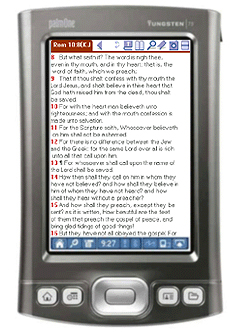
When looking at the Mobile Bibles page, I noticed a few things. The Bible+ Project was originally just for one platform, and the Bibles created for it can now be read in PalmOS Classic, Symbian, BlackBerry OS, and Maemo/MeeGo. Bibles made for the eSword environment also are supported on several platforms (Windows/Mac/Linux, Maemo, Maemo/MeeGo, and some previous Windows Mobile devices).

And that’s the free stuff. When you get to the paid Bibles, there’s compatiability for everything from Java-based handsets, to iOS (iPad, iPhone), Android, Symbian, and BlackBerry mobile devices.

A newer approach is being taken on by Logos, with the Biblia API project. Here, its not so much the actual reading environment that is being pressed, but you are given content, and have the ability (through license agreement) to use that content in a manner that works best for you. So here, you are using both new and old texts, free and paid texts, in a connected space, over a browser, or a customized (for the platform) application. So far, other companies aren’t going this route, but I do postulate that this would be the eventual end of much of the content that we deal with Biblically when consistent connectivity (QoS) isn’t in question.

In effect, everything is covered by two approaches to Bible formats:

  • Leveraging the existing content, older translations, and multi-lingual needs created for platforms that still have a large user base, but the users may have moved to newer devices and don’t want to purchase their initial downloaded investments
  • Utilizing proprietary formats which are advantageous for newer translations, free and purchase systems, and leverage the exposed connectivity features of newer mobile platforms and/or wireless access levels of users

I think that we still need to get to a point of seeing one commonly used Bible format, with the sharing, purchasing, etc. components handled by device/user tokens. And we might get there. Looking at just what is available now, and how the needs of those looking for Bibles are being addressed, it looks like we might essentially get there – but with users needing to pay as much attention to the reading platform, as much as they do the text itself.

At least that’s what it looks like on our Mobile Bibles page. I’ll probably tweak this page even more later when more of these associations are noticed. Besides making it easier for you to find a reader, it might help you make better decisions about how to manage your digital Biblical assets before the next major change hits several more software/development companies in this space.

And to think, I’m not even touching (yet) audio Bibles 😉

What is Mobile Ministry

In one of the recent conversations that I was around (about the kiosk), we talked about how ventures like MMM would do well to be certified – it would add validity to the effort around this site and the perceptions towards mobility and mobile ministry. Thing is, mobile ministry isn’t something that you can be certified in (yet) – frankly speaking, it isn’t old enough for there to be sufficient best practices and/or innovations above those.

And yet, I (and some others) sense this need and therefore, we’ve got to define what mobile ministry is, what are the key applications, and what are its clear implications. This post will sit as MMM‘s re-introduction to the public conversations on this topic.

A Working Definition
Mobile ministry is the skillful use and application of computer technology classified as mobile for the context of fulfilling the Christian (religious?) designation of forwarding the proclamation of the key ideals and history of the faith, following form to and innovating on top of cultural and faith traditions within applied contexts.

Mobile [technology] can defined as:

personal computing use that is defined by time, task, and spatial relationships, and is not limited to a device which maintains a wired connection; behavior of use is not limited to non-moving contexts; viewport of use is established by a 1:1 ratio of device/service and user.

Another way to look at this definition is to look at these specific mobile characteristics of mobile technology as identified here:

  1. Mobile is the first personal mass media
  2. Mobile is permanently carried
  3. Mobile is always-on
  4. Mobile has a built-in payment mechanism
  5. Mobile is available at the point of creative inspiration
  6. Mobile has the most accurate audience measurement
  7. Mobile captures the social context of media consumption
  8. Mobile allows augmented reality to be used in media

via Tomi Ahonen, Communities Dominate Brands

This differs from what we commonly hear about mobile. The market definition of mobile is any device that contains wireless communication capabilities (cellular or IP) and is designed around a viewport (screen) of less than 5in. This cosigns mobile into a personal computing context that both magnifies the characteristics, and presents the framework in which to approach mobile for service/life application.

Working Applications of this Definition
With this definition in mind, we can start looking at contexts in which this action of ministry (sharing and multiplying faith experiences) happens. Here are some of these contexts (as defined by MMM‘s case report categories):

  • Short Messages: SMS (text messaging) and MMS (multimedia messaging)
  • Long Messages: email, mobile web, mobile applications
  • Social Networking
  • Multimedia
  • Evangelism
  • Analysis and Metrics
  • Language Development
  • Communication Strategies/Implementations

Indeed, within these constructs, the definition and application of mobile can get very wide and deep. The challenge therefore, is to identify the characteristics of mobile, with the applicable technologies which are mobile in context, to create opportunities for ministry-type engagements.

Missions, Media, and Moments
There are currently, three focuses that I’ve seen in the area of mobile ministry which have come to light over the past 6-10 years: mobile in missions, mobile in media, and mobile capturing/defining moments.

Mobile in missions looks at the application and use of the technology and characteristics of mobile primarily within the context of fulfilling missional engagements. This includes SMS/MMS campaigns, multimedia sharing/engagement, web media development, educational facilitation and mobile health/wellness campaigns.

Mobile in media ascribes the characteristics of mobile to existing media domains (TV, radio, Internet) to bolster activities and engagement to fringe audiences, and to bolster connections to existing audiences. Here we see SMS/MMS campaigns as a subset of a larger media campaign. There is more of a focus on creating experiences through dedicated applications. And we commonly find those persons whom are missional in business contexts creating Gospel-led moments through these activities.

Mobile as a moment is largely the space where personal use and experimentation of the technology becomes the driver of Gospel engagements. Here, we have the use of religious applications such as bible readers, reading plans, and messaging alerts. Many missional and media engagements start also at this level – where a single person, directly with a mobile or with the assistance of a messaging/social networking service, reaches out to friends and loose associates with messages of encouragement, reproof, instruction, etc. In the marketing space, this would be akin to grassroots and viral methodologies at their most basic levels.

Where Do You Stand
Given this short look at defining mobile ministry, I’d hope that you’d be able to better see where you or your organization might stand in respect to how you choose to engage mobile contexts.

At this still early stage of making this field a viable option for ministries and individuals, such definitions are not just helpful, but frame and understanding towards what can and should be the aims of the tools and behaviors that we shape as mobile ministry becomes yet another avenue to share the wealth and depth of the Christian faith to others.

Stay tuned to the Mobile Case Studies/Research page as items there will also continue to contribute to this (working) definition and the means to identify trends in this space.

Slowly Replacing Conventional PCs

Brighthand on iPad and N8 #2 - Share on OviThis past weekend, I got a chance to sit with friends and family, and entertained the usual question of “what device(s) am I carrying around?” This question is one part normal for how I’ve been, but in another space gives me some impressions of how computing technologies are making their ways around the lives of others.

One of the more common sentiments heard this weekend was this realization that conventional PCs are being replaced by one or more different types of computing devices. For example, one friend has recently run into issues with his home router, and himself had been using a Palm Pre Plus to get his email and communicate with people. He’d gotten tired of his wife asking for his mobile for email/games/browsing, and she soon also adapted the use of a Palm Pre Plus. Now, their laptop sits mostly unused, and they manage most of their digital lives on smartphones.

Another friend was looking at the iPad as a potential netbook/laptop replacement, but in our conversations, realized that their actual computer use didn’t need something to change so drastically. They wanted the flexibility of a tablet, but only for occasional reading sessions. Usually, they were out and about and a mobile that could connect to Wi-Fi was a better proposition for them. I brought up the option of the iPod Touch and various ebook readers such as the Kindle and NookColor which are lower priced than the iPad, and offer closer to how they wanted to use these devices.

Essentially, what I’m seeing is that the PC as a traditional platform (keyboard, monitor, desk, and siloed from other people), is falling away as the primary definition. For many, computing is only as relevant as the information that they need at that point. And whether this is directions, books, or music, the definition of computing is less about what numbers and data you are crunching, and more about access.

I know that for me, my paradigm shifted a long time ago. Now seeing others coming to that same realization that computing is defined by them – and then the technology – is pretty neat, and offers lessons towards other aspects of computing which might also end up being redefined.

Connecting to Missionaries via Skype

When we look around the Body towards what people are doing with mobile tech, it is always refreshing to see local communities stretching their use of tech in global-touching manners.

Wes Allen, a brother that I was blessed to meet in person at BibleTech 2009, has recently written a post about how his church is connecting with missionaries in Thailand via Skype. Here’s a snippet:

On October 31 Central Baptist Church of Riverton-Palmyra marked the last week of the World Mission Offering by having a missionary come and share with us during worship. This isn’t that unusual a practice. After all, churches have been bringing in missionaries as guest speakers for centuries. What marked this conversation as “different,” was the location of our guest speaker, Kit Ripley. She was literally on the other side of the globe, in Thailand. What made this conversation was the advent of free video conferencing over broadband Internet – pioneered by software like Skype…

Read the rest at ABCNJ.

As we have seen with this tech over several years, the ability to connect with one another doesn’t always need to start and end with the physical presence. There are moments where going virtual are more cost and time effective, and can open doors to other ways of empowering our communities and one another to use the tools at our disposal for the cause of the Gospel.

Besides Skype, are you taking advantage of virtual conferencing solutions to connect groups across distances? How have those relationships been challenged or strengthened in using these technologies?